Simple Multiple Project Tracking Excel Template
Track, visualize, and manage multiple projects in one place.
This template is the simplest way to turn your task lists into a professional Portfolio Dashboard. Perfect for Project Managers who need a clear, high-level view of deadlines and progress without the complexity of expensive software.
Multiple Project Tracking Template
Simple to Use. Powerful to Track Multiple Projects. Expertly Crafted. Rigorously Tested.
This isn’t just a spreadsheet; it is a high-performance tool built by a Microsoft Excel & Project Management Expert with over 20 years of experience.
Since 2012, our templates have been best-sellers across the globe, earning a reputation for reliability, quality, and user-driven innovation.
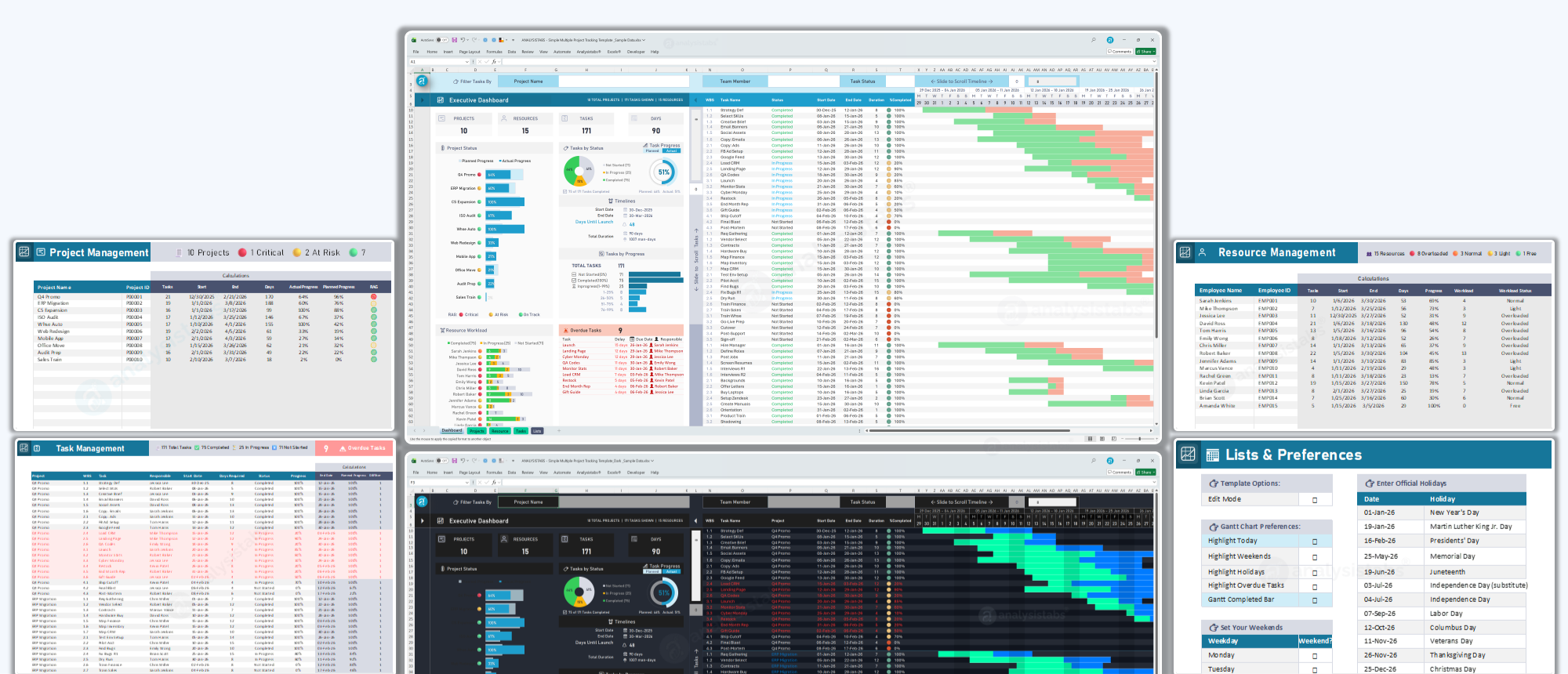
Simple Multiple Project Tracker
Key Features for Professional Success
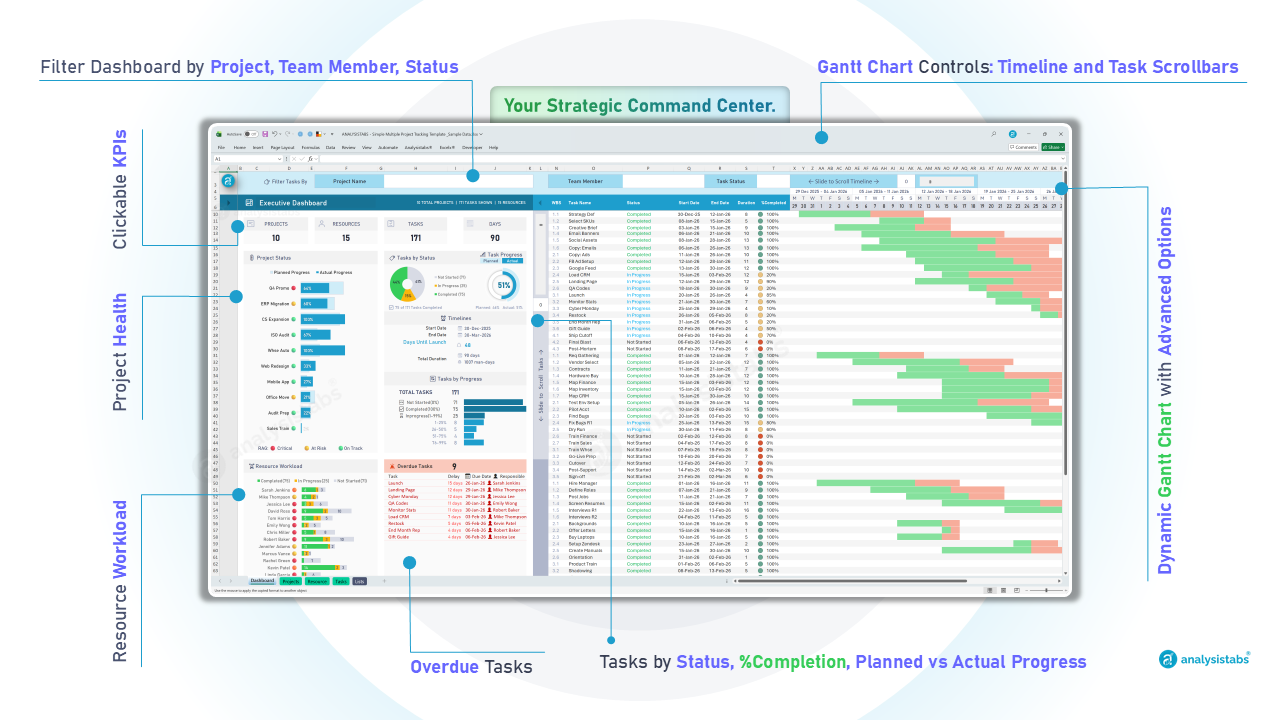
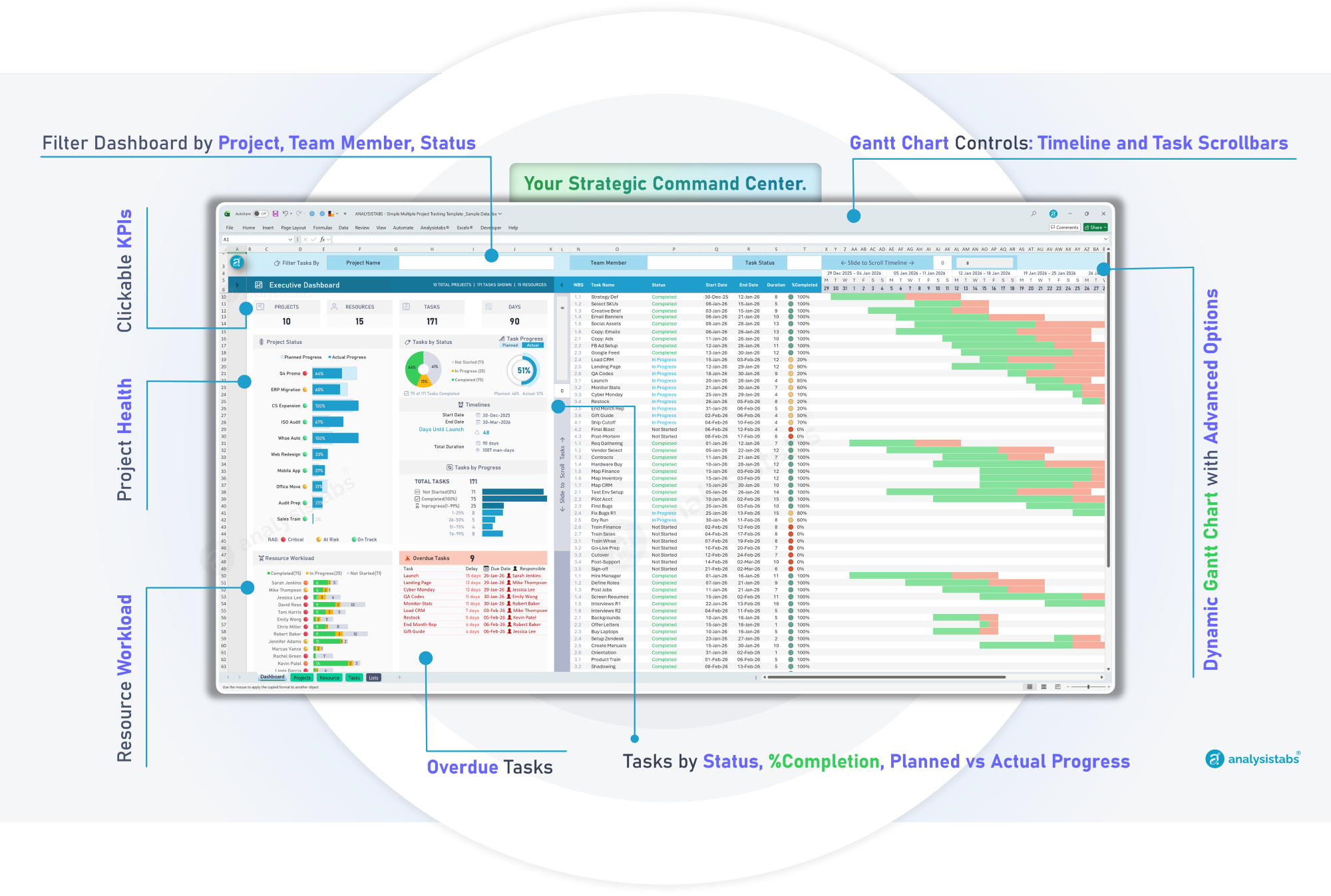
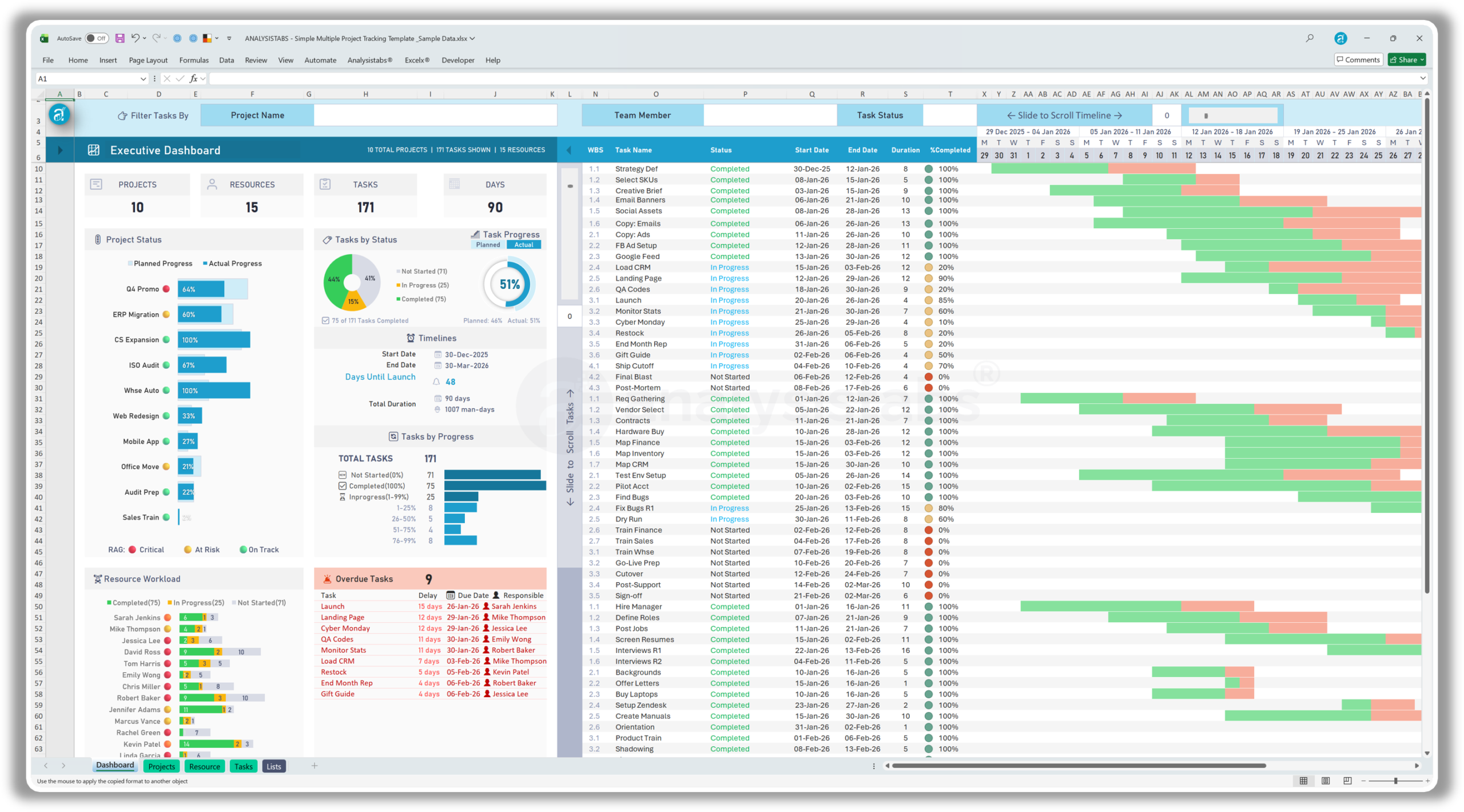
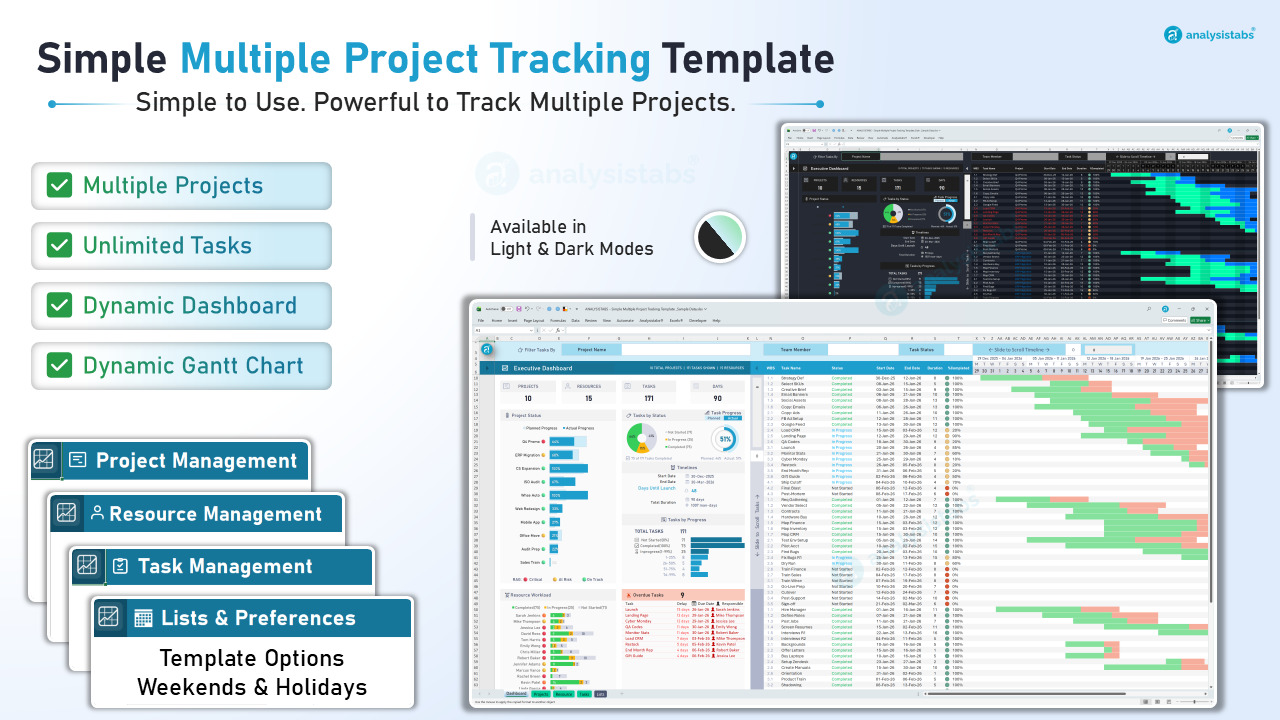
The Executive Dashboard & Dynamic Gantt.
Your Strategic Command Center. Gain high-level visibility into your entire portfolio instantly.
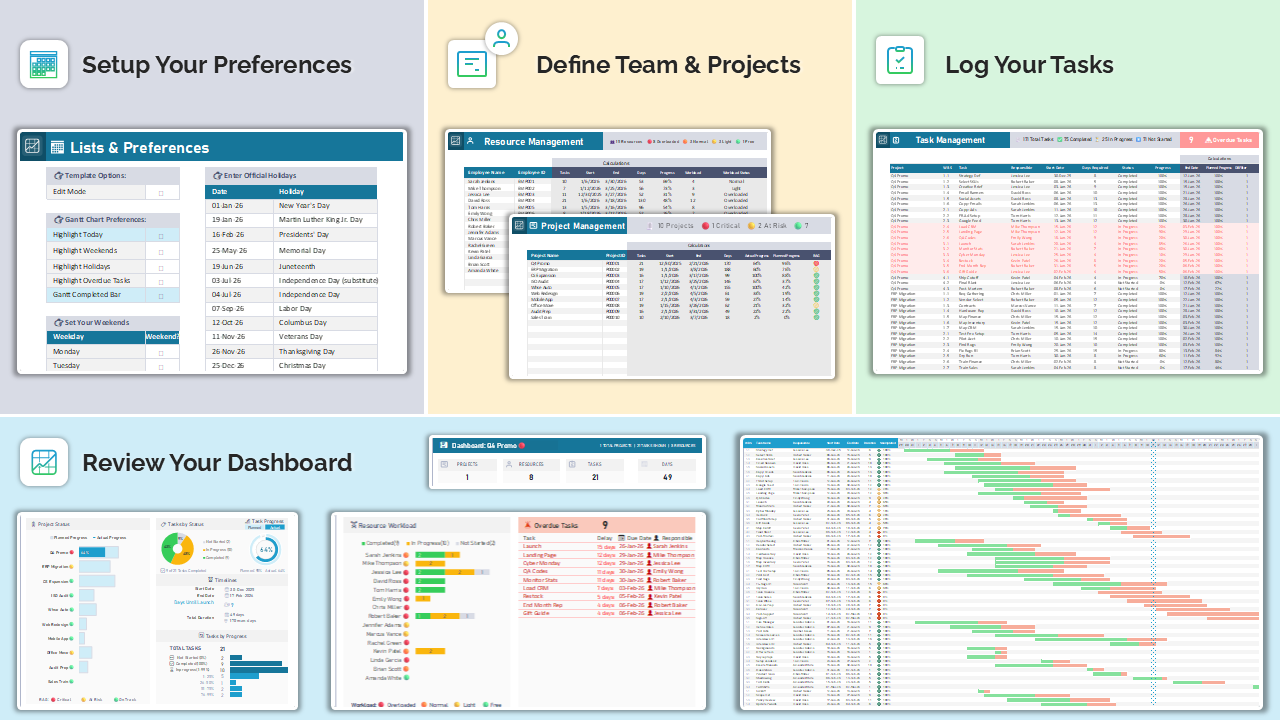
Your 4-Step Path to Project Mastery.
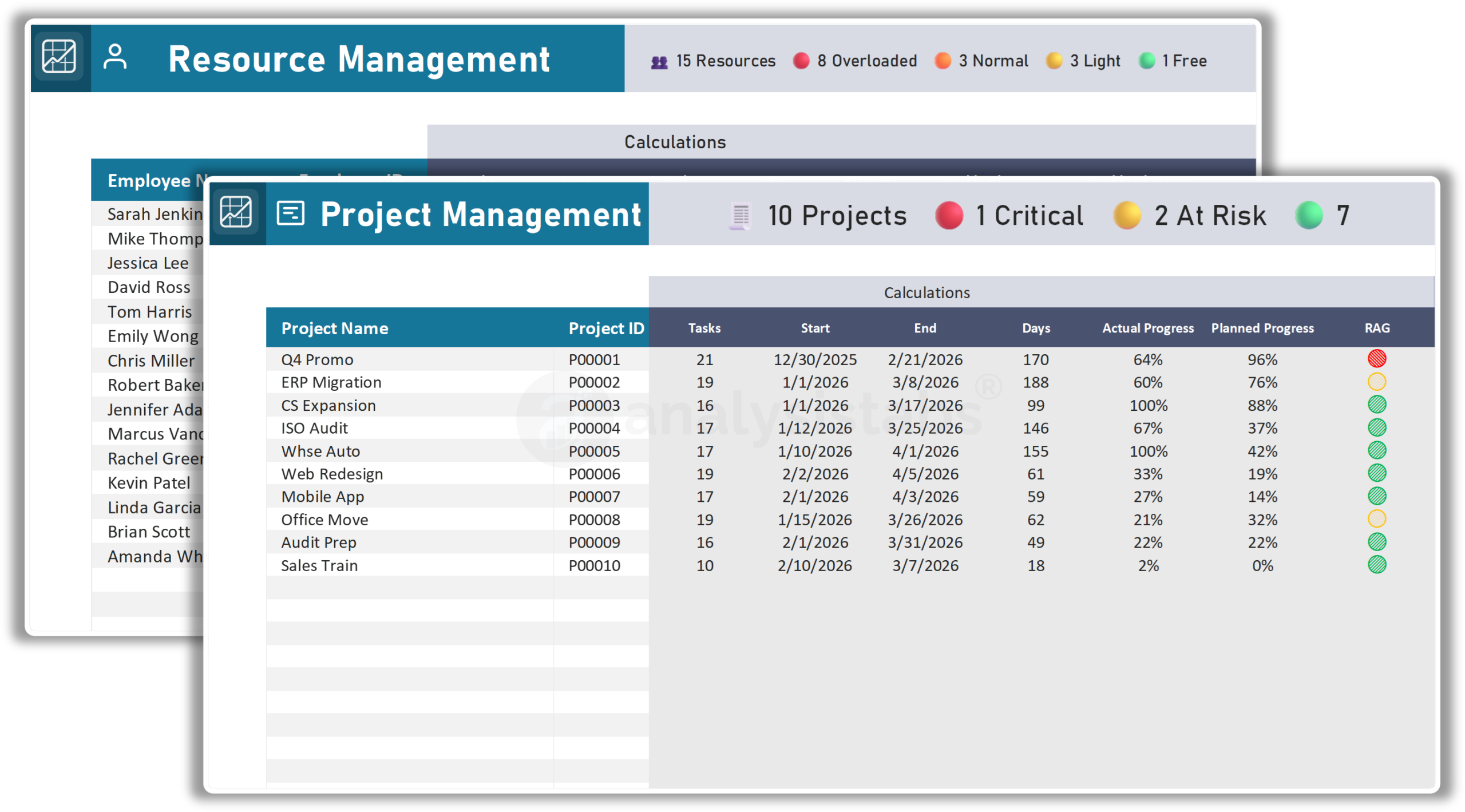
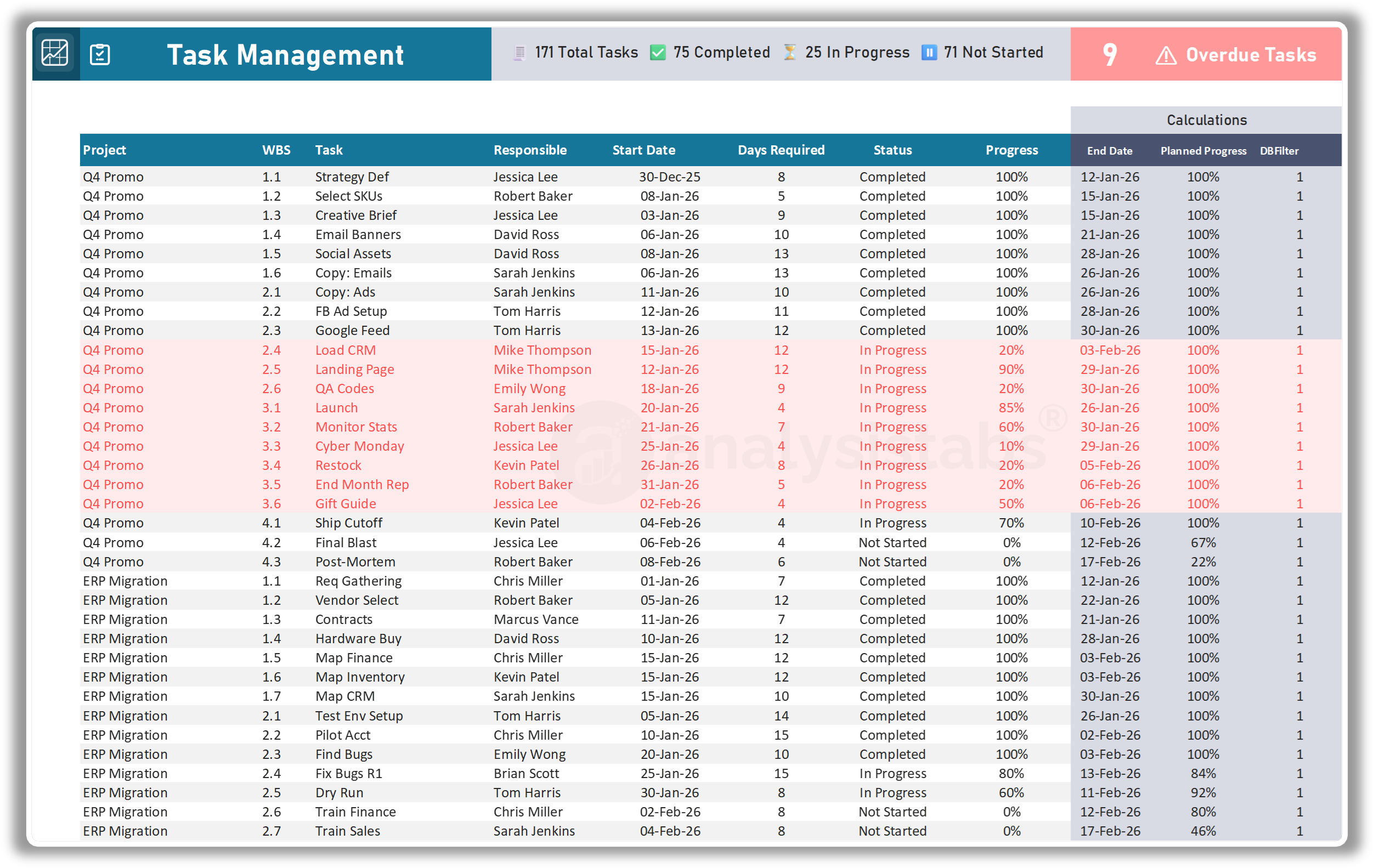
Experience the power of a professional project management suite without the steep learning curve. This template is meticulously engineered to provide Smart Answers to your most complex portfolio questions. Whether you are managing ten projects or hundreds, our streamlined 4-step workflow eliminates the headache of manual tracking and replaces it with instant, automated executive insights.
Simply follow these intuitive steps to transform your raw data into a visual command center:
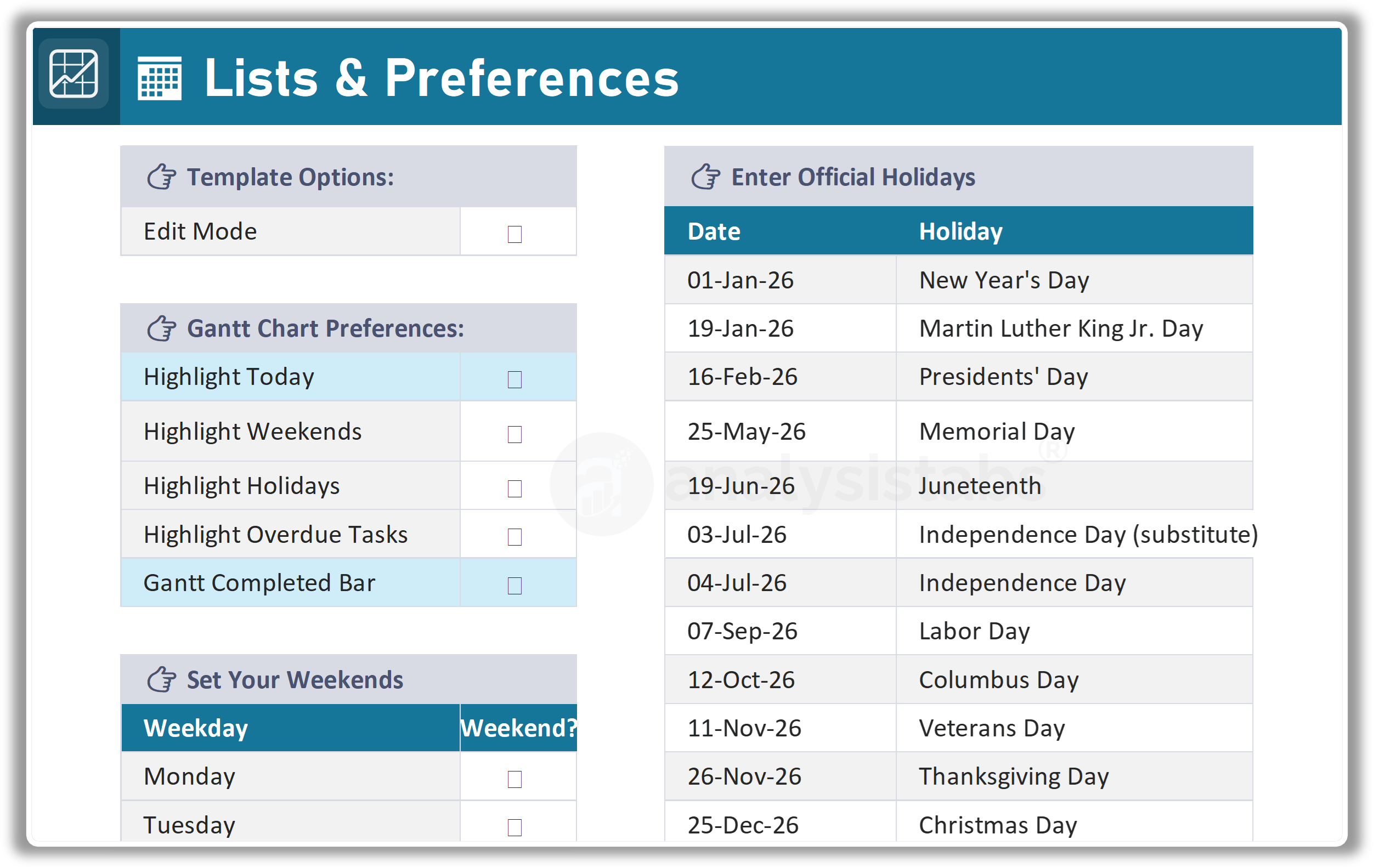
Customizable Project Logic: The Lists Sheet.
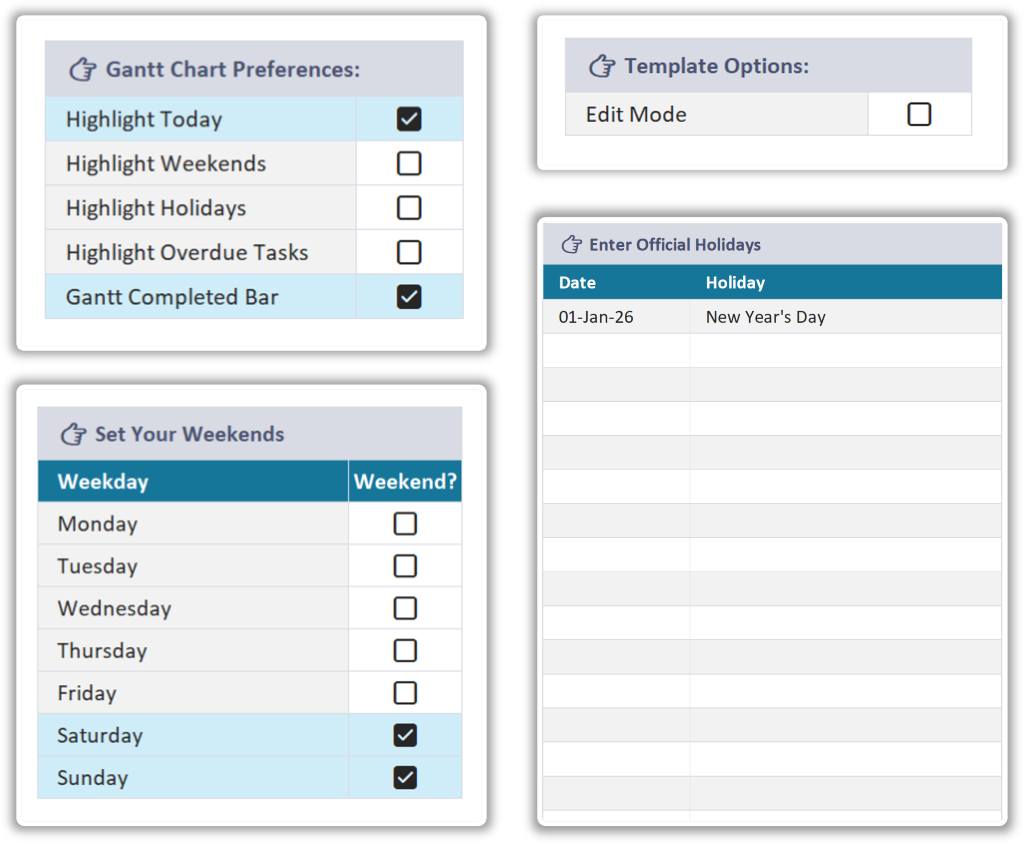
The Lists & Preferences sheet is the brain of your template, allowing you to tailor the automation to your specific organizational needs without touching a single formula.
- Smart Gantt Preferences: Take full control of your visual timeline by toggling highlights for “Today,” Weekends, Holidays, and Overdue Tasks with simple checkboxes.
- Global Weekend Support: Whether your team works a standard Monday–Friday or a custom schedule, you can define exactly which days count as weekends to ensure accurate deadline calculations.
- Automated Holiday Integration: Simply enter your official regional holidays to have them automatically excluded from project durations and highlighted on your Gantt chart.
- On-Demand “Edit Mode”: Toggle the specialized Edit Mode to highlight exactly which cells require input, making data entry foolproof for every member of your team.
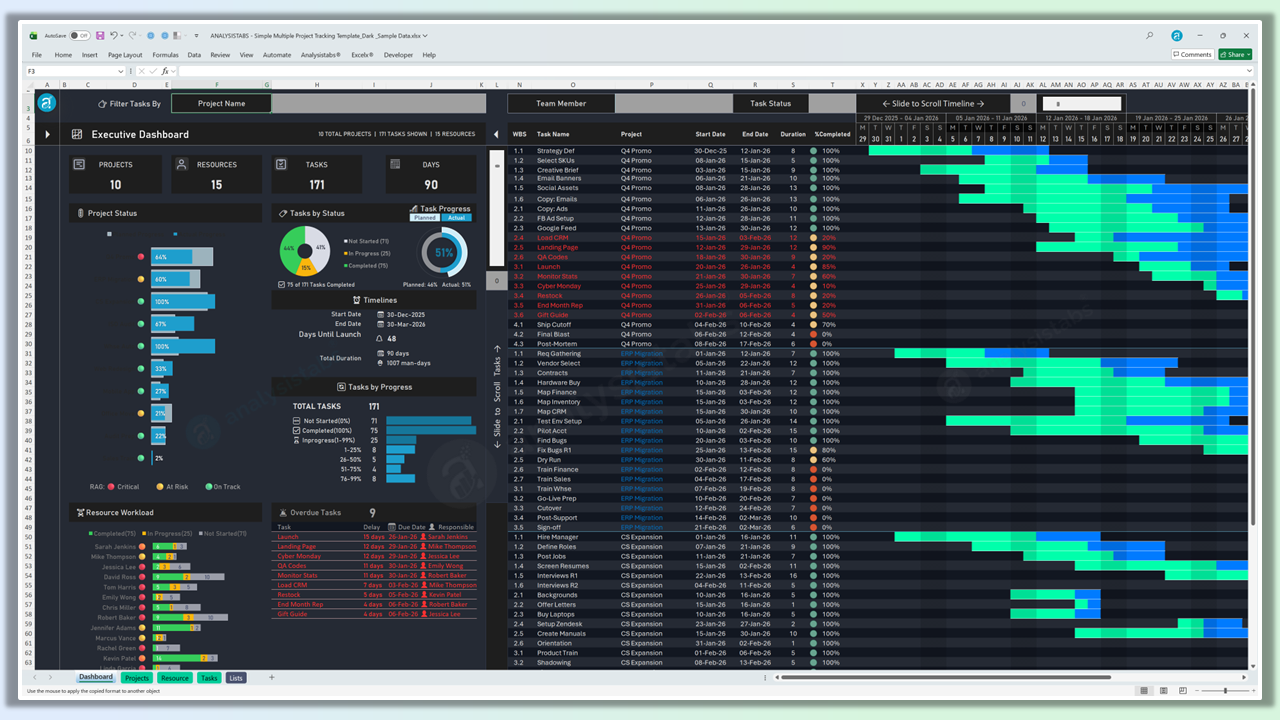
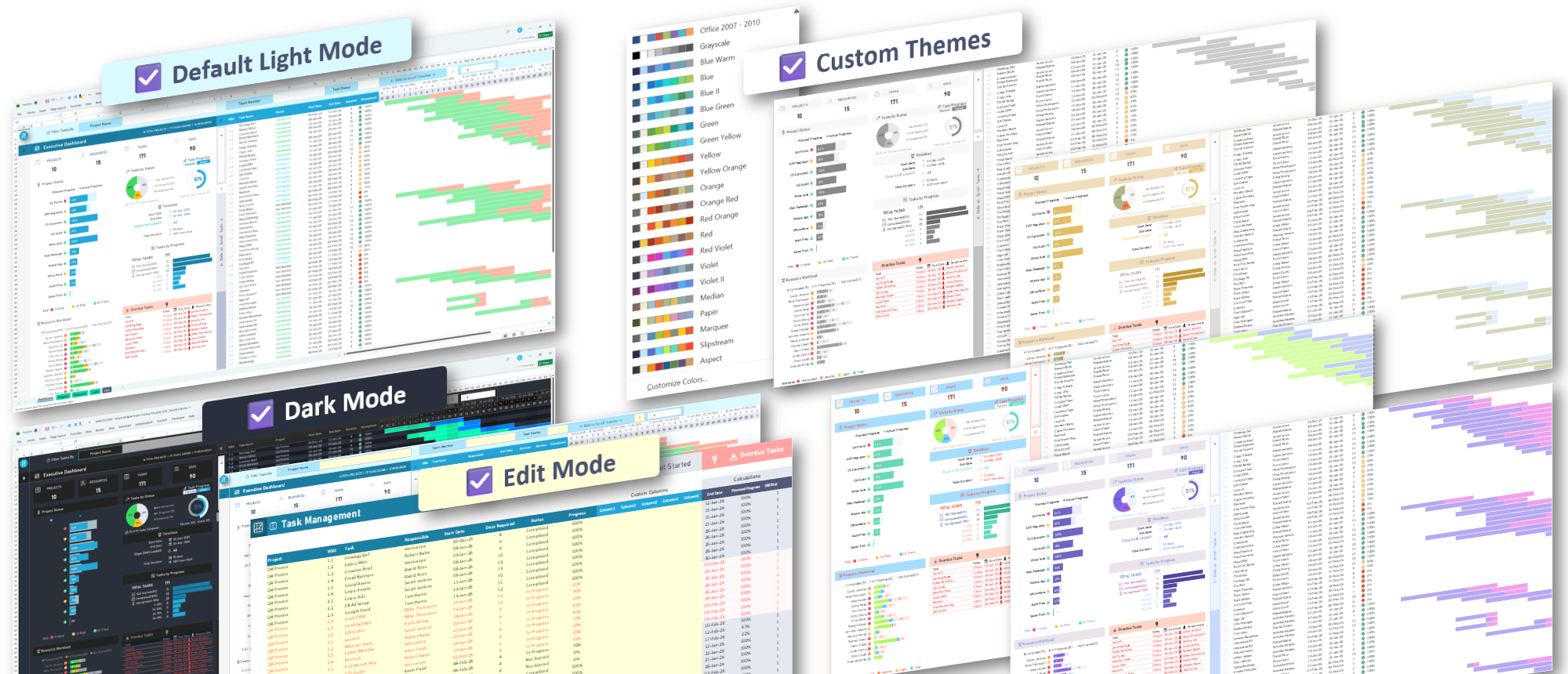
The Perfect Aesthetic: Light, Dark & Custom Themes.
Visual comfort and professional branding are critical for modern executives.
This template is designed to adapt to your environment and your brand identity instantly.
-
Professional Light Mode: Optimized for high-clarity viewing in standard office lighting and perfect for generating clean, professional PDF reports for printing.
-
High-Contrast Dark Mode: Designed to reduce eye strain during deep-work sessions, providing a sleek, modern “software-app” feel directly inside Excel.
-
Unlimited Color Personalization: Unlike rigid software, this template leverages Excel’s native Theme engine. Change your workbook theme, and the Light Mode template updates instantly to match your preferred corporate colors.
-
Brand-Ready Design: Easily replace demonstration logos with your own company branding to make the dashboard truly yours.
What Our Customers Are Saying
Expert-Designed Multiple Project Tracking for Professionals
Whether you are overseeing a corporate portfolio, managing a growing team, or streamlining your own consulting projects, this Multiple Project Tracking Template is engineered to support professionals across all industries.
With structured logic, 100% automated calculations, and executive-level insights, you can plan, monitor, and analyze timelines, resources, and task progress with complete confidence.
Why Choose This Template?
- Easy to Use: Features a user-friendly layout with intuitive one-click KPI navigation and a “Home” icon on every sheet—no advanced Excel skills required.
- Advanced Features: Includes dynamic executive dashboards, interactive Gantt charts with scrollable timelines, and smart resource workload tracking.
- Customizable & Professional: Tailor your project logic via the Lists sheet and easily replace logos for branded executive reports and presentations.
- Safe & Private: Your data stays entirely on your machine; enjoy a powerful application experience with no online apps or monthly subscriptions.
- Proven Excellence: Truly tested and refined over a decade based on direct feedback from thousands of project managers worldwide.
Take Control of Your Project Portfolio Today!
Order now to streamline your management process—gain clarity, stay organized, and drive smarter decisions for your project success.
Here’s What You’ll Receive:
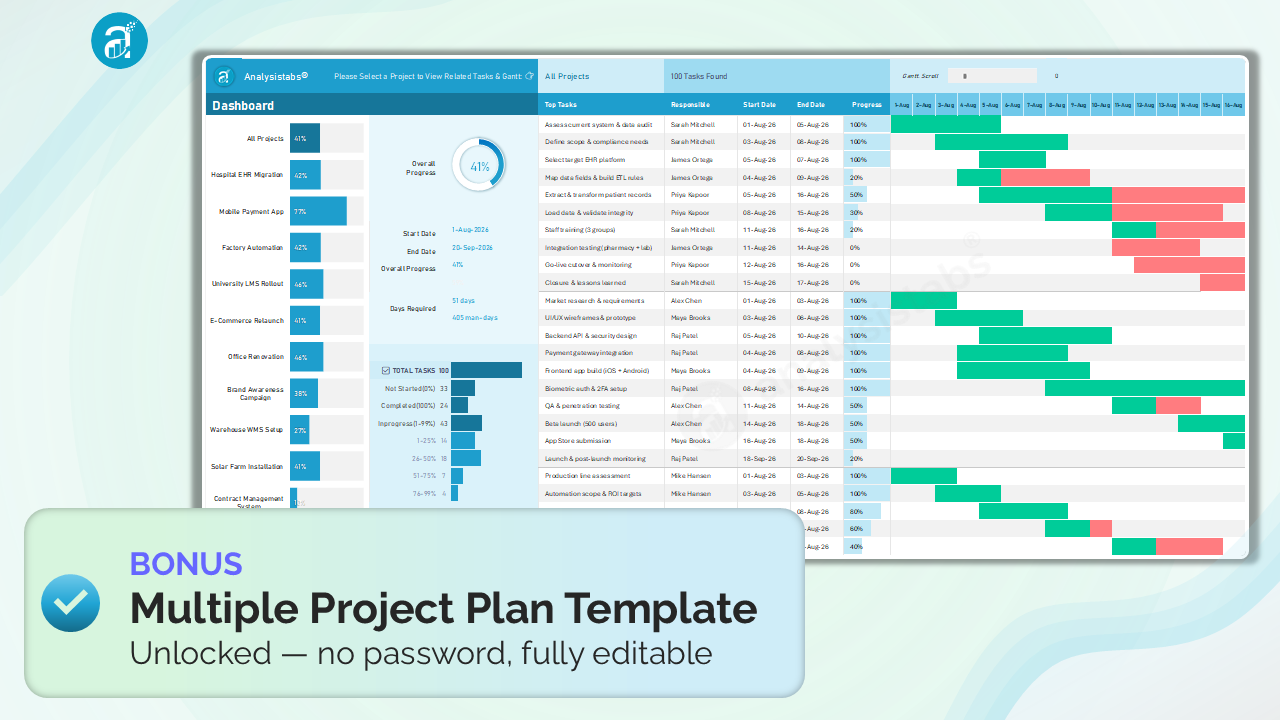
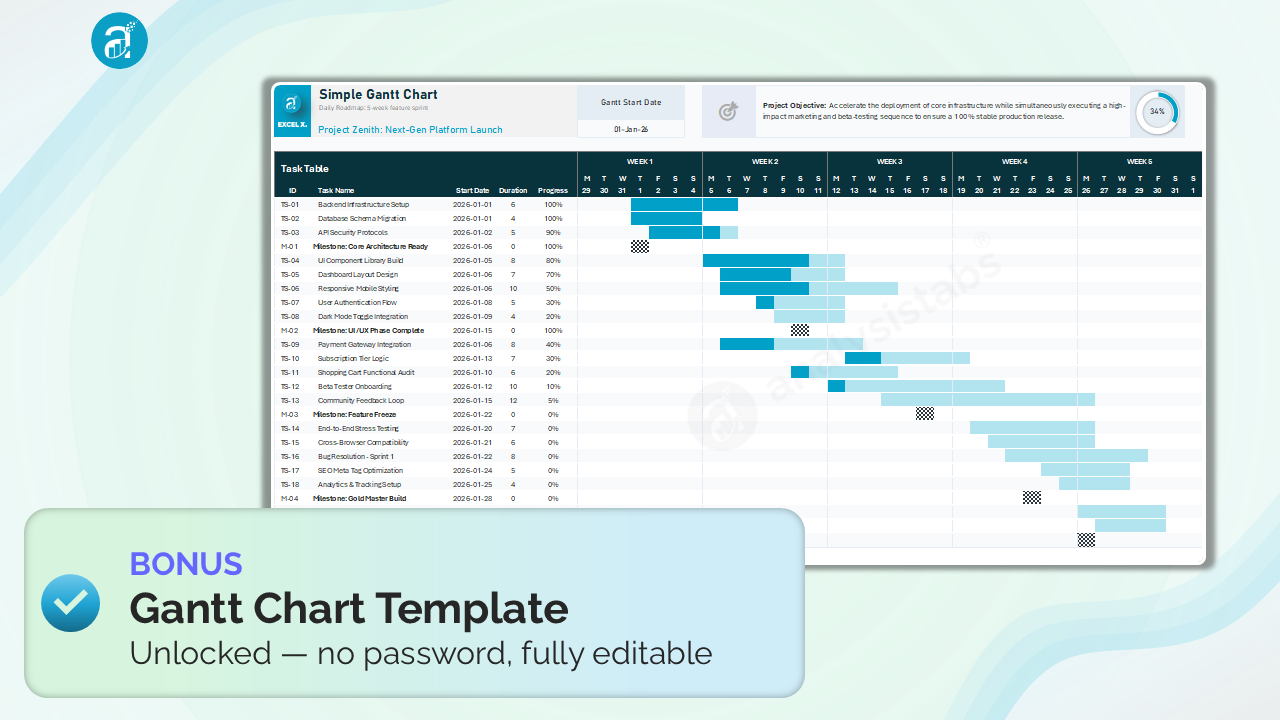
6 files, including 2 unlocked — our free tracker and Gantt, protection removed
Take control of your professional portfolio today with our comprehensive Multiple Project Tracking Template for Excel:
🧾 Project Tracking Template – Blank Versions
- Fully Customizable: Set up your own resource IDs, project names, and custom holiday schedules tailored to your organization.
- Complete Portfolio Management: Track high-level project health and granular task details in one organized, professionally designed system.
- Clean & Secure Design: Experience an "app-like" interface with color-coded entry zones and 100% VBA-free security.
📊 Project Tracking Template – With Sample Data
- Quick Start: Instantly explore the template using pre-filled professional data that demonstrates real-world project scenarios.
- Learn by Example: Understand the power of switchable Gantt views and clickable KPI navigation with ready-to-use examples.
- Effortless Transition: Simply review the logic and then replace the sample data with your actual figures to start managing your projects right away.
🎨 Premium Visual Themes
- Light & Dark Modes: Includes both a professional Light Mode for printing and a sleek, high-contrast Dark Mode to reduce eye strain.
- Unlimited Themes: The Light Mode template updates its color scheme instantly whenever you change your built-in Excel Theme.
📥 INSTANT DOWNLOAD
This is a digital product. No physical item will be shipped. You will receive the Excel files immediately after purchase.
Frequently Asked Questions (FAQ)
Is this a one-time purchase?
Yes! Pay once for lifetime access. No monthly subscriptions, no hidden fees, and use it forever.
Will it work with my version of Excel
Yes, for Excel 2016 and later on Windows and Mac, plus Excel for the Web and Microsoft 365. There are no macros, so it opens without security warnings on locked-down corporate machines.
How is this different from your free tracker?
The free tracker is capped at 25 task records and one project, with a single progress gauge. This version removes those limits and adds resource workload, overdue alerts, dashboard filtering, custom holidays and light/dark modes — plus unlocked formulas you can extend.
I only need a Gantt chart. Is this overkill?
If you're planning one project with a fixed timeline, our free Gantt template may be all you need. This is for when you're running several projects at once and want one chart you can filter by project, person or status — plus a dashboard that summarises them all. The unlocked free Gantt is included either way.
How many projects can it handle?
It's been tested with several hundred running at once. Most buyers run between 5 and 50.
Can I get an unlocked version of your free templates?
Yes — two of them are included with this purchase. You get the Unlocked Multiple Project Tracking Template and the Unlocked Gantt Chart Template: the same free files you can download from Excelx, with the sheet protection removed. No password, every formula visible, add rows and columns freely. If your team has already built a process around those layouts, you can keep using them and extend them, alongside the premium template.
Is it secure for corporate use?
Absolutely. The template is 100% VBA-free, meaning no macros, no security warnings, and full compatibility with Excel for Web, Mac, and Windows.
What's your refund policy?
Guaranteed to work: if a file won't open, is corrupted, or doesn't do what this page describes, tell us within 30 days and we'll fix it or refund you in full. Because the files download instantly and in full, we can't refund change-of-mind purchases. Not sure it's right for you? Email us before you buy — we reply within one business day.
Can I customize it?
Yes. It is designed to be fully customizable and easy to enhance. You can add your own formulas, custom sheets, or branding as needed.
What happens after I pay?
You get a download link on the confirmation page straight away, and a copy by email. Nothing is shipped and there's no waiting.
Most popular upgradeS
Save Big
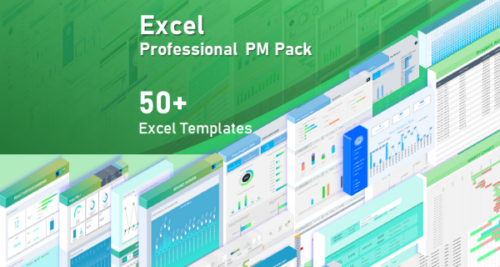
Simple Multiple Project Tracking Excel Template is also available in the following bundles:
Get Instant Access in 3 Simple Steps
Trusted by 6,500+ users worldwide
Project Managers from the biggest brands in the world choose us for managing their Projects, Tasks and Resources.