Ultimate Project Management Excel Template

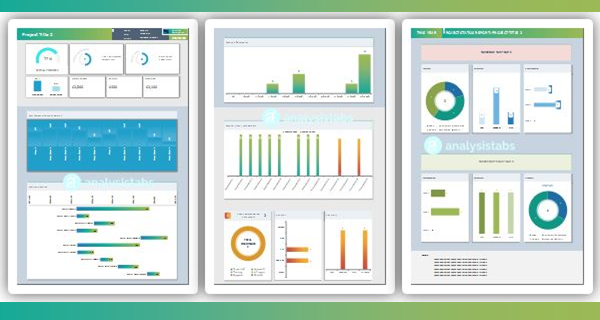
Plan, track and report every project from one Excel file. Projects, tasks, people, clients, RAID, invoices and expenses – feeding three live dashboards, an interactive Gantt chart and a Kanban board. No add-ins, no macros, no subscription.

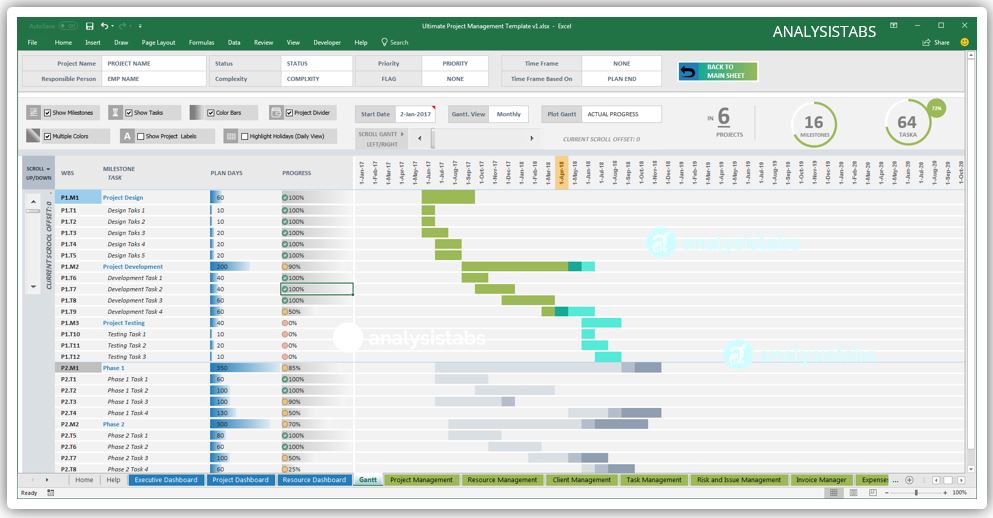
  • Visual Dashboards: Executive, Project & Resource + Gantt chart + Kanban board.
  • Progress Gantt: Bars fill with real task progress.
  • Full RAID Log: Risks, issues & dependencies with risk matrix.
  • 100+ Data Checks: Catch mistakes before stakeholders do.
  • Ready to Use: Sample data + clean blank copy.
  • Fully Editable: .xlsx, no macros – Excel 2019+ / 365.

Original price was: $ 149.Current price is: $ 99.

34% Off

  • Works with Excel 2016+ & Microsoft 365

  • Instant download

  • Fully customisable — no password

  • Secure checkout

EXCEL PROJECT MANAGEMENT TEMPLATE · STANDARD EDITION · v2.0 · What’s new →

Run every project from one Excel file

Projects, tasks, people, clients, RAID, invoices and expenses – feeding three live dashboards, an interactive Gantt chart and a Kanban board. Enter data once; everything else updates itself.

  • Portfolio health in seconds: Green / Amber / Red for every project.
  • Spot overloads early: see who is flat out before deadlines slip.
  • Budgets under control: budget, invoiced, expenses and payment status.
  • One RAID log: risks, assumptions, issues and dependencies.
  • Status reports in one click: no slides to build.

★★★★★ Loved by project managers – see reviews

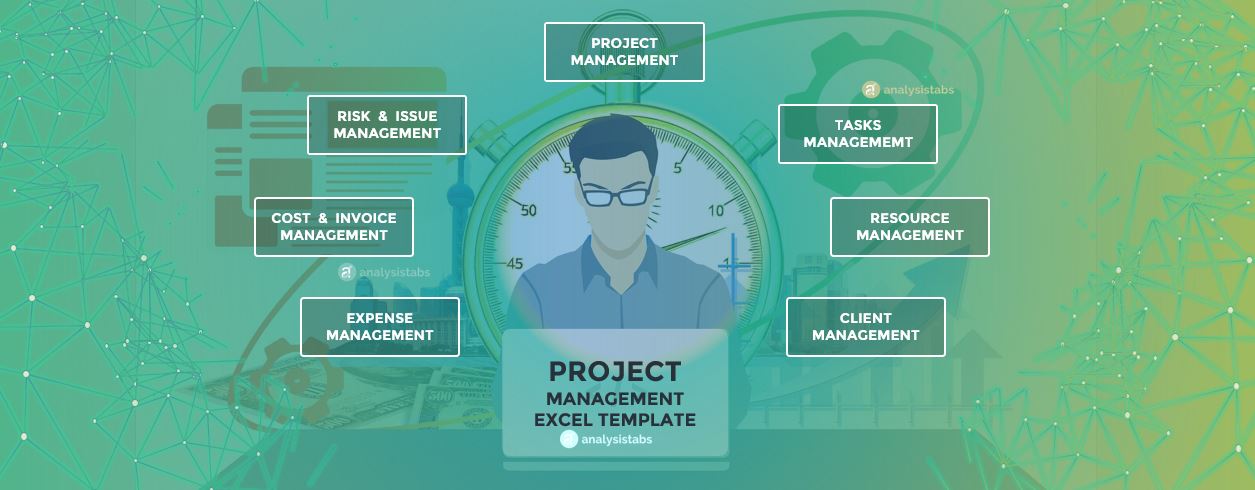
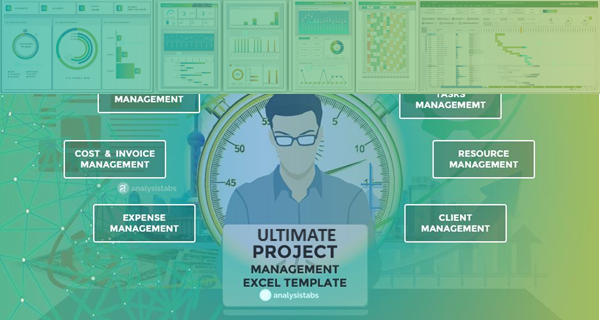
Top 12 PM Capability Areas of Ultimate Project Management Template
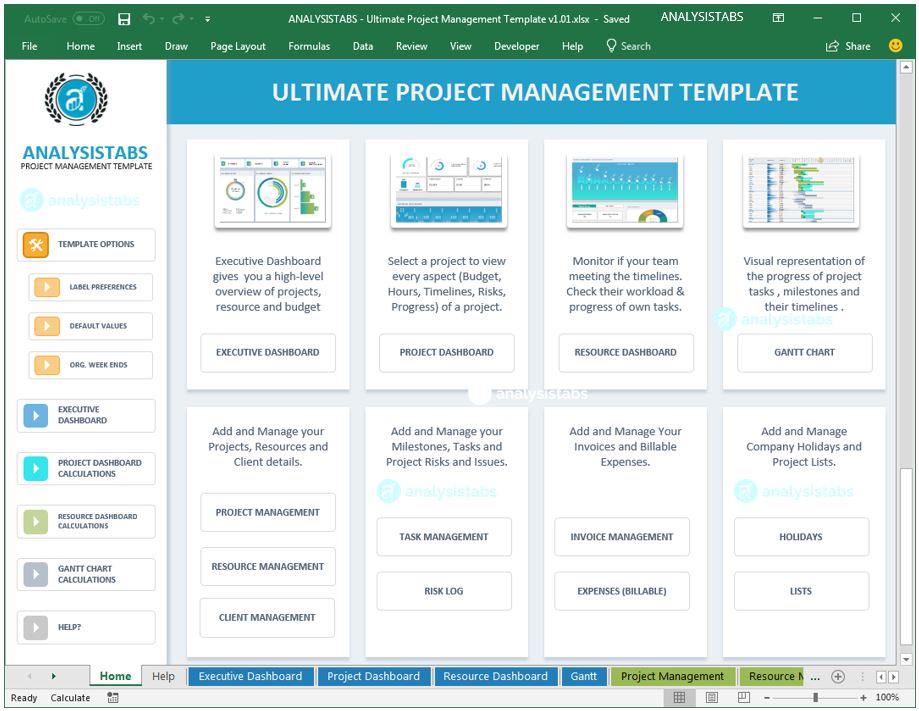
Ultimate Excel Project Management Template – Home hub, Executive Dashboard and Kanban board
0+
users worldwide
0
live views – 3 dashboards, Gantt & Kanban
0+
built-in data-quality checks
20
macros, add-ins or subscriptions

SOUND FAMILIAR?

Projects rarely fail on the plan – they fail on the admin

✔ One workbook fixes it: enter your data once – every dashboard, chart, Gantt bar, Kanban card and print page updates itself.

WHAT YOU GET

Everything a project manager needs – in one file

Six jobs the template does for you, every day.

TAKE THE TOUR

Five views that build themselves

Type into the data sheets – the dashboards, Gantt chart and Kanban board recalculate instantly. No refresh buttons, no pivot tables.

HOME PAGE · EASY TO NAVIGATE

Everything is one click from Home

A clean start page links to every dashboard, data sheet and setting – so you never hunt through tabs to find what you need.

  • Sidebar menu grouped into Dashboards, Data Entry, Settings and Help
  • Dashboard cards jump straight to Executive, Project, Resource, Gantt and Kanban
  • Data sheets grouped by job: Projects & People, Tasks & Risks, Money
  • Settings & Help card: Setup & Holidays, Labels, Data Quality, Instructions
  • Built-in 4-step Quick Start for first-time users
  • Plain-English descriptions on every card – no training needed
Excel project management template home page – sidebar menu, dashboard cards and quick start
STEP 1
Set up
Set weekends, holidays and lists in Setup.
STEP 2
Add your data
Add clients, resources and projects.
STEP 3
Plan & update
Plan tasks and milestones, then update progress.
STEP 4
Review
Review the dashboards and Data Quality checks.
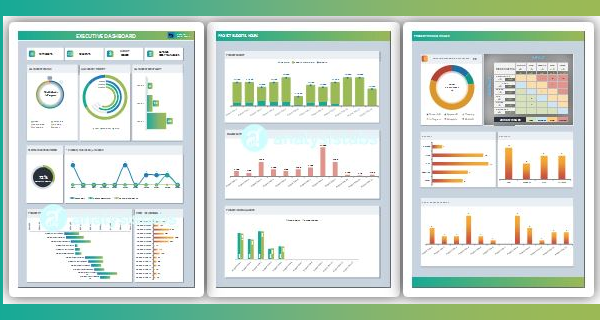
Executive Dashboard – portfolio health, KPIs and RAID matrix

EXECUTIVE DASHBOARD

The whole portfolio on one page

Ready for the steering committee in the time it takes to open the file.

  • Project Health table – Green / Amber / Red
  • 10 live KPI cards and milestone countdown
  • Projects by status, priority and complexity
  • Budget vs invoiced vs expenses, by project and client
  • Resource workload and planned vs actual hours
  • Open RAID by type and level, with a 5 × 5 risk matrix

PROJECT DASHBOARD

Pick a project – see everything about it

One dropdown switches every chart, table and KPI to the selected project.

  • Progress, schedule and effort rings
  • Milestone tracker with overdue and due-soon lists
  • Task slippage and planned vs actual timeline
  • Budget, invoiced and remaining, with invoice detail
  • Project risks, issues and dependencies
  • Built-in status report for any period – ready to print
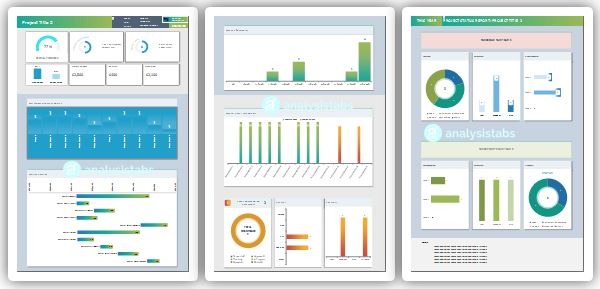
Project Dashboard – progress, milestones, budget and status report
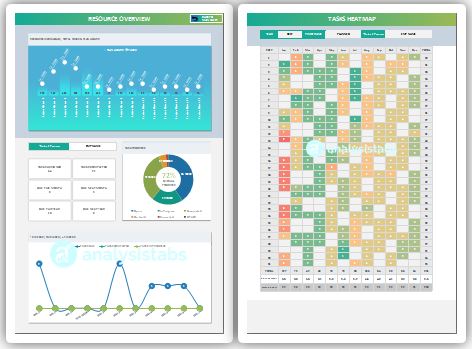
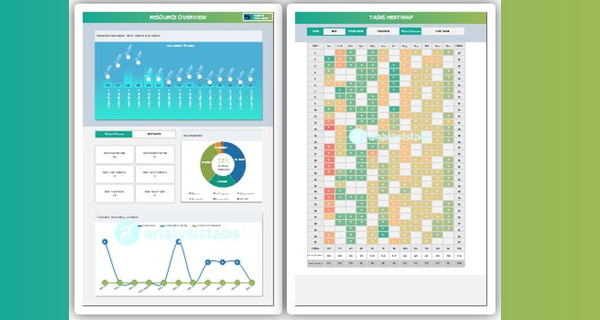
Resource Dashboard – workload heatmap, capacity and utilisation

RESOURCE DASHBOARD

Know who is free, who is flat out, who is late

Balance workload before it becomes overtime – or a missed deadline.

  • Whole team or one person
  • Resource Attention – top 5 people at risk
  • Capacity, utilisation and available hours
  • Capacity vs demand – 12 weeks ahead
  • Daily heatmap with your own colour thresholds
  • Weekly task-status trend

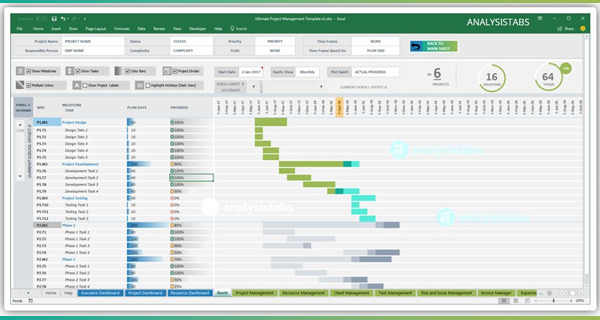
INTERACTIVE GANTT CHART

Drill into any plan in seconds

Filter, switch views and change what the bars show – all from dropdowns.

  • 8 filters – project, owner, status, priority, due window…
  • Show tasks, milestones or both
  • Daily, Weekly, Monthly, Quarterly and Yearly views
  • 4 bar views incl. Planned vs Actual and Actual + Progress
  • Pick the timeline start date and bar colour style
  • Bars fill with each task’s real % complete
  • Weekends and company holidays respected
  • Live schedule-health badge and progress summary
  • Overdue, due and starting in the next 7 days at a glance
  • Hours used vs plan and next-milestone countdown
Excel Gantt chart – Actual + Progress view with filters
Excel Kanban board – tasks by status with filters

KANBAN BOARD

See every task at a glance

Open, In Progress, On Hold, Completed and Cancelled – one board for the whole portfolio.

  • Filter by project, responsible, priority and phase
  • Show tasks, milestones or both
  • Cards with owner, due date and a progress bar
  • Priority colour stripes and ⚠ overdue flags
  • Overdue first, then by due date – 20 cards per lane
  • Change a task’s status – its card moves itself

DATA ENTRY TABLES

Enter it once – every view updates

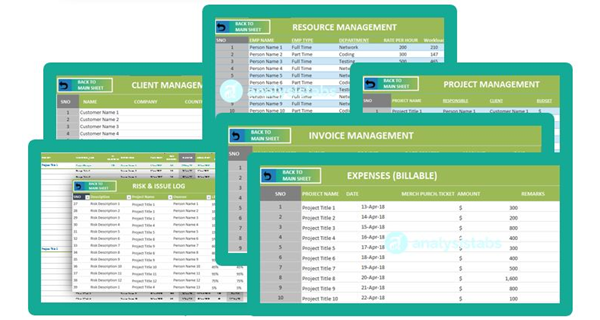
Seven linked Excel tables with dropdowns and built-in calculations. Type a row and the dashboards, Gantt and Kanban follow.

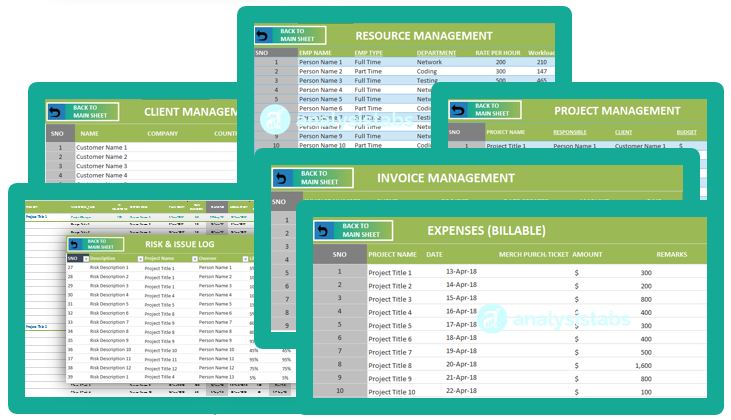
  • 7 linked tables: Projects, Tasks & Milestones, Resources, Clients, RAID, Invoices, Billable Expenses
  • Dropdowns for status, priority, phase, owner and client
  • Planned and actual start, duration and hours on every task
  • Predecessors, flags and 6 custom fields on tasks
  • Tables grow automatically as you add rows
  • Projects calculate end date, budget remaining, progress and slippage vs baseline
  • RAID items scored by likelihood × impact into a risk level
  • Invoices work out due date, balance and payment status
  • Resources hold pay and cost rates, max hours per day and live workload
  • Billable expenses link to project, category and invoice number
Excel project management data entry tables – projects, tasks, resources, clients, RAID, invoices and expenses
Template settings – weekends, holidays, dropdown lists, labels and data quality checks

SETTINGS & HELP

Make it yours in minutes

Set your calendar, lists and wording once – the whole template follows. No formulas to touch.

  • Choose your weekend days and add company holidays – every date respects them
  • Edit 13 dropdown lists: status, priority, phase, departments, RAID types, expense categories…
  • Rename or translate 78 labels across dashboards, Gantt and filters
  • 100+ live Data Quality checks – each shows the problem and how to fix it
  • Step-by-step Instructions with a sheet guide and troubleshooting tips
  • Sample Data and Blank editions – explore first, then start fresh

EVERYTHING INCLUDED

Enter it once. Use it everywhere.

Seven data-entry tables, settings and built-in help – with dropdowns and entry checks on every input.

BUILT FOR EVERY ROLE

One file – the right view for everyone

Project Manager

Plans and delivers the work

Task Management · Gantt · Kanban · Project Dashboard

Executive / Sponsor

Oversees the portfolio

Executive Dashboard · status reports

Team Lead

Balances people and capacity

Resource Dashboard · Kanban by person

Finance / PMO

Controls money and data

Invoice Manager · Expenses · Data Quality

HOW IT WORKS

Up and running in under 30 minutes

WHY THIS TEMPLATE

The power of PM software – the simplicity of Excel

This template Online PM software DIY spreadsheet
Price $99 once $10–$30 per user / month Your time
Ready-made dashboards & Gantt ✔ ✔ ✖
Kanban board ✔ ✔ ✖
Works offline, data stays on your PC ✔ ✖ ✔
No logins, installs or IT approval ✔ ✖ ✔
Fully editable formulas ✔ ✖ ✔
Built-in data-quality checks ✔ 100+ checks Varies ✖
Set up in under 30 minutes ✔ Days of onboarding Weeks of building

Online PM software prices are typical published per-user plans; check current pricing for any tool you compare.

WHAT’S IN THE DOWNLOAD

Everything you need, in one download

  • Sample Data edition (.xlsx) – see every feature working
  • Blank edition (.xlsx) – ready for your own projects
  • 3 dashboards, Gantt chart and Kanban board
  • 7 data-entry sheets, Setup, Labels and Data Quality
  • Home hub, Instructions and License
  • Free updates for 12 months from purchase

REQUIREMENTS

Will it work on my computer?

  • Excel 2016, 2019, 2021, 2024 or Microsoft 365
  • Windows or Mac desktop Excel
  • No add-ins, macros or internet needed
  • Not for Excel 2013 or older
  • Not for Google Sheets, Numbers or LibreOffice

Excel for the web: view and light edits only.

CUSTOMER REVIEWS

What project managers say about Analysistabs

FAQ

Frequently asked questions

A standard Excel workbook (.xlsx) – no macros, no add-ins. You get a Sample Data edition and a Blank edition.
Excel 2016, 2019, 2021, 2024 and Microsoft 365 on Windows or Mac. Excel 2013 and older, Google Sheets and Numbers are not supported.
No. The Instructions sheet walks you through setup in 8 steps, and the Sample Data edition shows every feature working. Prefer reading on screen? See the online documentation.
Yes. Everything is formula-driven and linked to the data tables, so charts, the Gantt and the Kanban update as you type.
Yes. Nothing is password-locked. Dashboards are protected without a password to prevent accidents – Review › Unprotect Sheet to edit.
Tables grow automatically for hundreds of tasks. Portfolio charts show up to 15 projects, 15 resources and 10 clients – Data Quality warns if you go over.
Yes. Mark weekend days and list company holidays on Setup – every date calculation excludes them.
Yes. The Labels sheet holds every title and heading; change it once and the dashboards follow.
Yes. Page layouts are preset so each dashboard section prints on one page, or export to PDF.
No. Pay once and use it forever, with free updates for 12 months from the date of purchase.
Yes. Copy your rows into the matching v2.0 tables; the new columns are optional.
Simple Tracker ($49) if you only need deadlines and progress for many projects. Ultimate ($99) for the full PM system – people, money and risk. The 50+ Excel pack ($199) and 120+ All-in-One pack ($299) include both templates plus many more.

CHOOSE YOUR EDITION

From one template to the complete PM library

Pick the right size

One-time payment, instant download. The Ultimate and the Simple Tracker are both included in both packs.

Simple Tracker
$49
$99
For beginners, team leaders & managers – planning & scheduling

GET SIMPLE →

BEST FOR MOST
Ultimate PM Template
$99
$149
For professionals – planned vs actual + full PM modules

GET ULTIMATE →

50+ Excel PM Pack
$199
$1,499
50+ Excel PM templates

VIEW PACK →

BEST VALUE
120+ All-in-One Pack
$299
$1,999
Excel, PowerPoint & Word

VIEW BUNDLE →

Compare editions Simple Tracker

$49
Ultimate PM Template

$99
50+ Excel PM Pack

$199
120+ All-in-One Pack

$299
Ultimate PM Template – Standard v2.0 – ✔ ✔ ✔
Simple Multiple Project Tracker ✔ – ✔ ✔
Number of templates 1 1 50+ 120+
File types Excel Excel Excel Excel · PowerPoint · Word
Multi-project tracking – projects, people & tasks ✔ ✔ ✔ ✔
Dashboards & views 1 dashboard + daily Gantt 3 dashboards + Gantt + Kanban ✔ ✔
Gantt timeline Daily, scrollable Daily to Yearly · 4 bar views ✔ ✔
Resource workload & overdue tasks ✔ ✔ ✔ ✔
Weekends & holidays ✔ ✔ ✔ ✔
Planned vs actual timelines – ✔ ✔ ✔
Kanban board – ✔ ✔ ✔
RAID log, invoices & billable expenses – ✔ ✔ ✔
100+ data-quality checks – ✔ ✔ ✔
Charters, plans, status & report templates – – ✔ ✔
PowerPoint & Word templates – – – ✔
Price per template $49 $99 under $4 under $2.50
Which one should I choose?
Which one? Simple Tracker

$49
Ultimate PM Template

$99
50+ Excel PM Pack

$199
120+ All-in-One Pack

$299
Who it’s for Beginners, team leaders & managers PM professionals, PMOs & agencies Teams that run many kinds of projects Organisations & consultants who want everything
Main focus Project planning & scheduling Wide range of PM modules – Projects, Resources, Clients, Tasks, RAID & Finance Every PM process – Excel templates Every PM process – Excel, PowerPoint & Word
Choose it when… you need deadlines, progress and workload for many projects on one dashboard you need people, money and risk too – the full PM system you also want charters, plans, status and report templates you also present and document in PowerPoint and Word
Typical team Individuals & small teams Project teams, PMOs & agencies Departments & PMOs Whole organisation
Skip it if… you need Kanban, RAID, invoices or expenses you only need a one-page overview you only need one tool you only use Excel
Our tip Start simple – upgrade any time The best fit for most buyers Every Excel PM template you need Best value overall

Pack prices and contents as listed on analysistabs.org – see each pack page for the full template list.

Stop chasing spreadsheets. Start delivering projects.

Ultimate Excel Project Management Template – Standard v2.0 · one-time payment

Original price was: $ 149.Current price is: $ 99.

34% Off

⚡ Instant download  ·  🔒 Secure checkout  ·  .xlsx – no macros  ·  Excel 2016+ / Microsoft 365

Deliver Successful Projects
with Analysistabs Templates

Whether you are a beginner, project manager, or executive, our templates provide the automated dashboards and data insights you need to succeed.

Original price was: $ 149.Current price is: $ 99.

34% Off

Ultimate Project Management Template v2.0 for Excel – dashboards, Gantt chart and Kanban board in one workbook

Get Instant Access in 3 Simple Steps

Yes! Pay once for use it forever. No monthly subscriptions, no hidden fees.
Questions? Contact us at Info@analysistabs.com

Trusted by 6,500+ users worldwide

Project Managers from the biggest brands in the world choose us for managing their Projects, Tasks and Resources.

Why choose us!